Selected work / 2025
JomeA home purchase the product barely showed.
Jome sells new-construction homes to first-time buyers. The Buyers Hub turned a reminder strip into the page that carries the whole purchase.
01Problem
A reminder, not a guide.
Jome sells new-construction homes to people buying their first one. The purchase runs for months, and most of it happens off the screen: a tour with a builder, a call with a lender, a contract, a walkthrough, a set of keys. The product knew that road. It showed almost none of it.
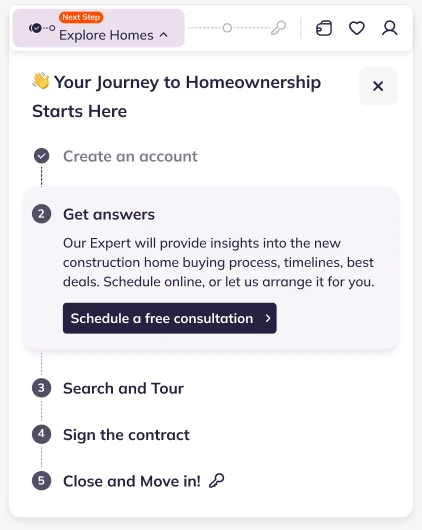
The journey did exist — inside a dropdown. Behind a pill in the header reading Next Step — Explore Homes sat the whole thing: five lines from Create an account to Close and move in, the current one expanded with a button to book a consultation. Collapsed, it was a pill and five grey dots that named nothing. On mobile it shrank to a single strip above the listings.
So the problem was not that the road was missing. It was that a months-long purchase lived in a 418-pixel panel that closed when you clicked away, and could never hold anything more than a list of labels.
Nothing in the analytics demanded a rebuild. The reverse: we were about to put real weight behind this part of the product — guides, documents, warranty, events, a personal assistant — and there was nowhere to put any of it. A dropdown in the header cannot hold a house purchase.

02How the journey moves
A tracker a person keeps.
Nine steps, and the product owns almost none of them. The builder schedules the tour, the lender clears the financing, the title company handles the paperwork. Progress reaches Jome the way it always did — by phone, to a trusted person on the team, who moves the buyer’s step by hand.
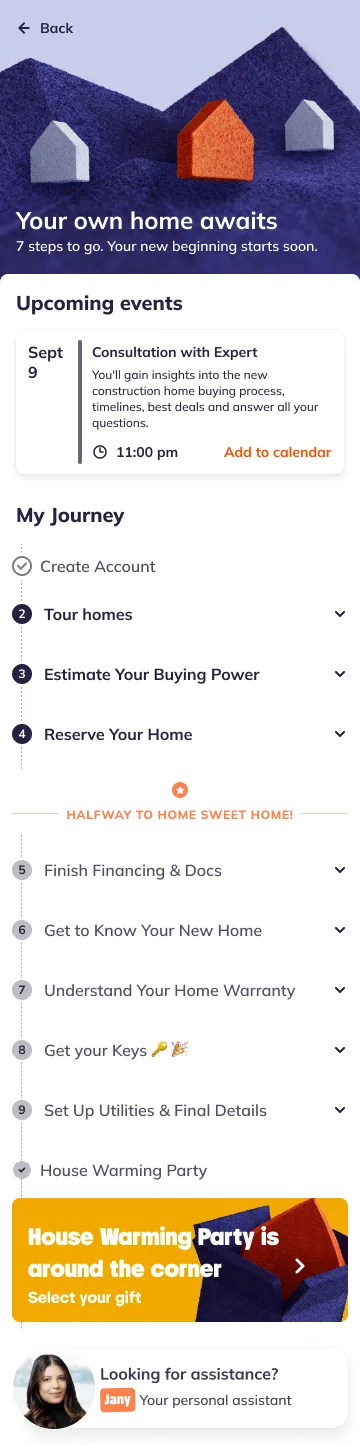
That constraint set the rules. The hub never asks the buyer to report a status, because they are not the one who knows it. Every step carries the same way out — Consult with personal assistant — because the answer to “what happens now” had always been a person, and designing around that was more honest than implying a system was watching. And at the bottom of the page sits Jany, named and with a face, rather than a support link.
03Structure
The whole road, visible.
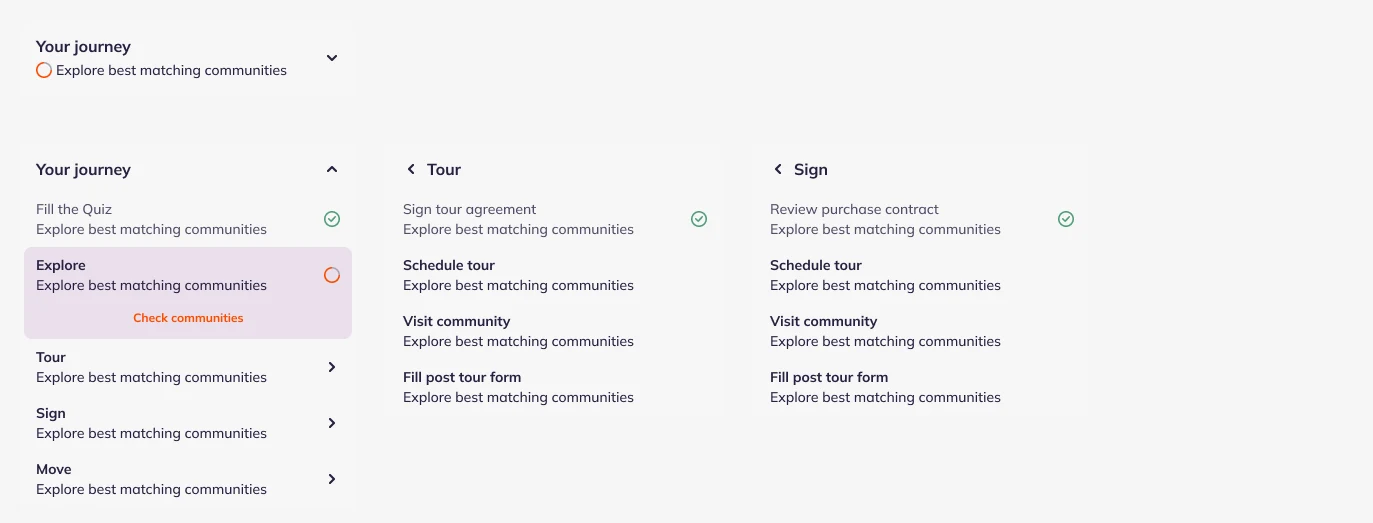
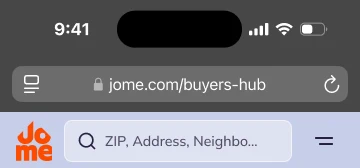
The first structure was five stages — Quiz, Explore, Tour, Sign, Move — each opening into its own sub-steps, one at a time. The reasoning was protective: don’t hand a first-time buyer nine steps and months of paperwork on the first screen.
Unmoderated usability testing said the opposite. Hiding what came next didn’t calm anyone; it disoriented them. People couldn’t tell what the process consisted of, how long it was, or where in it they stood — the very questions the hub existed to answer.
So it flattened. Nine steps in one list, all of them visible, each expanding in place. The page got long, and that was the price worth paying: the first thing a buyer sees is the entire road, with a date and an estimated cost against the steps that have them, and a marked point halfway — Halfway to home sweet home — so progress has a middle and not only an end.

Key decision
Show the whole purchase at once, even though it looks like a lot.
The protective version
Five stages, revealed one at a time, so a first-time buyer would never face the full length of the process. It was the kinder-looking design, and it is the one I started from.
What testing changed
Unmoderated testing showed that hiding the next stages did not reduce anxiety — it produced it. Without the whole list, people could not say what the process consisted of or how far along they were. A longer page that answers those two questions beats a shorter one that withholds them.
04States
The hub moves with the buyer.
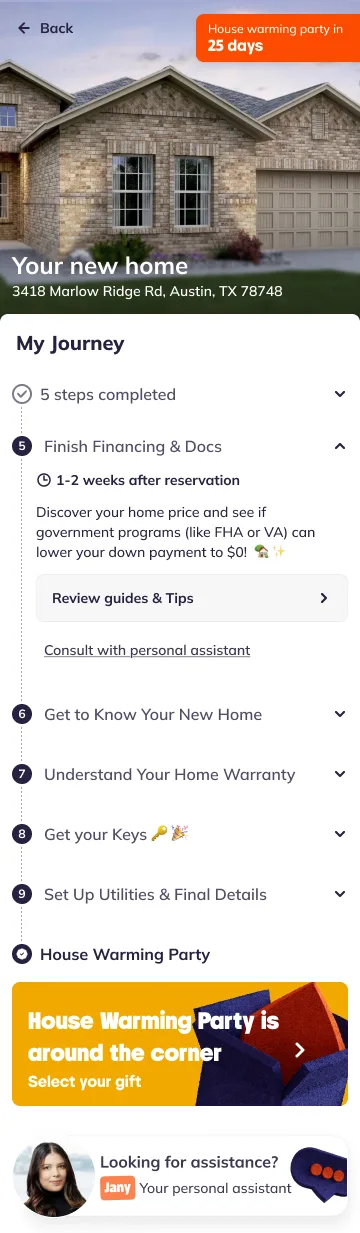
On day one the banner is an illustration: Your own home awaits · 7 steps to go. By the end it is a photograph of the actual house and its address, with a countdown — House warming party in 25 days. Finished steps fold into a single line, and the next appointment rises to the top of the page with an Add to calendar beside it.
The last item in the list is not a step. It is the housewarming, and a gift to choose. A purchase that ends at “set up utilities” ends in admin; this one ends in a party.
05Entry point
Enough of the hub to pull you into it.
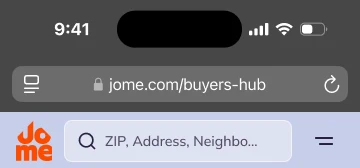
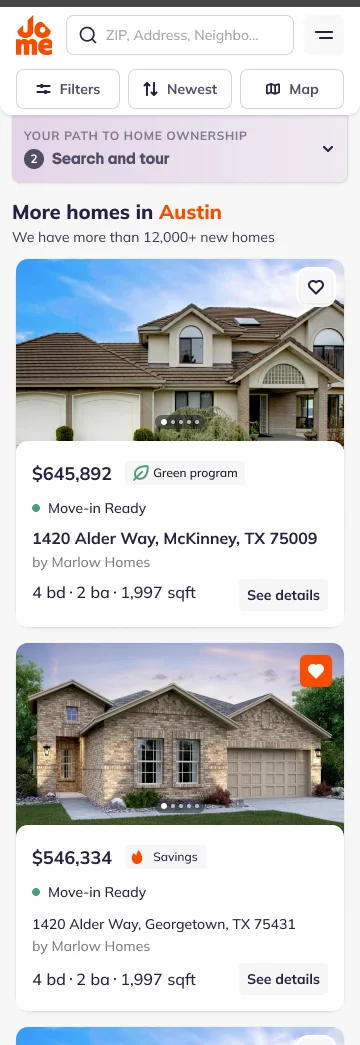
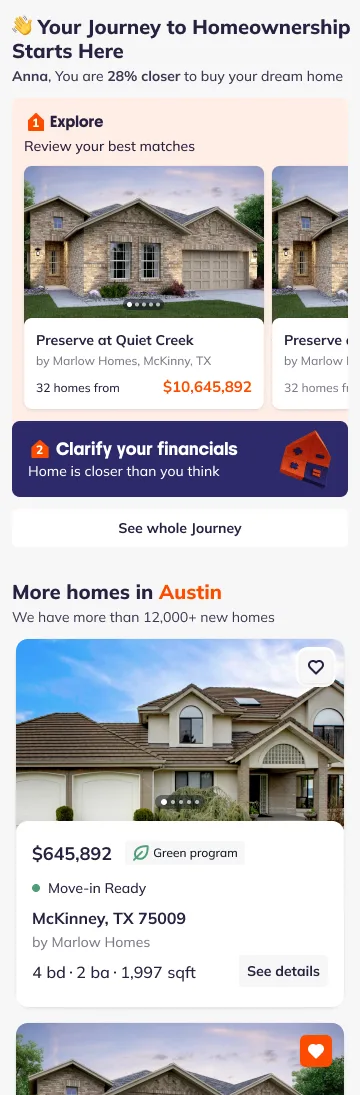
The hub sits one tap above the listings. Collapsed, it is a single bar that names the step you are on — Your path to home ownership · 2 Search and tour — the same slot the old strip held, now pointing at a page rather than standing in for one. Open, it greets the buyer, shows the next two steps with their own artwork, and hands over to See whole Journey.
The open state carries one line of marketing copy — “You are 28% closer to buy your dream home” — and the number is a nudge, not a calculation: nothing in the product weighed the steps. Worth saying plainly, because a progress figure that does not add up is a promise the product cannot keep twice.
06Reflection
What it taught me
The hub shipped whole. The product team later moved toward an AI agent that calls buyers and connects them with an expert, and the hub stopped holding the centre of the interface — but the part of it that survived is telling. The assistant at the bottom of the page turned out to be the product.
If I had it again, I would make the progress real before I made it visible: a step weight the system actually computes, so the number on the home screen means the same thing to the buyer as it does to us.